理解Docker Swarm, Service和Task
阅读本文前需要先理解什么是Docker 、image和container,并熟悉相关的基本命令。根据Docker官方文档和自己的理解,将自己学习过程中遇到的几个关联概念做了笔记。
用Docker管理Scalable App
Web端的app通常由多个不同部分的功能组成,需要能够按照用户数量动态扩展使用的资源,可以将docker化的App运行到docker swarm中,实现负载均衡。
为了理解相关概念,让我们先创建一个swarm:
1 | $ docker swarm init |
1. App && Stack
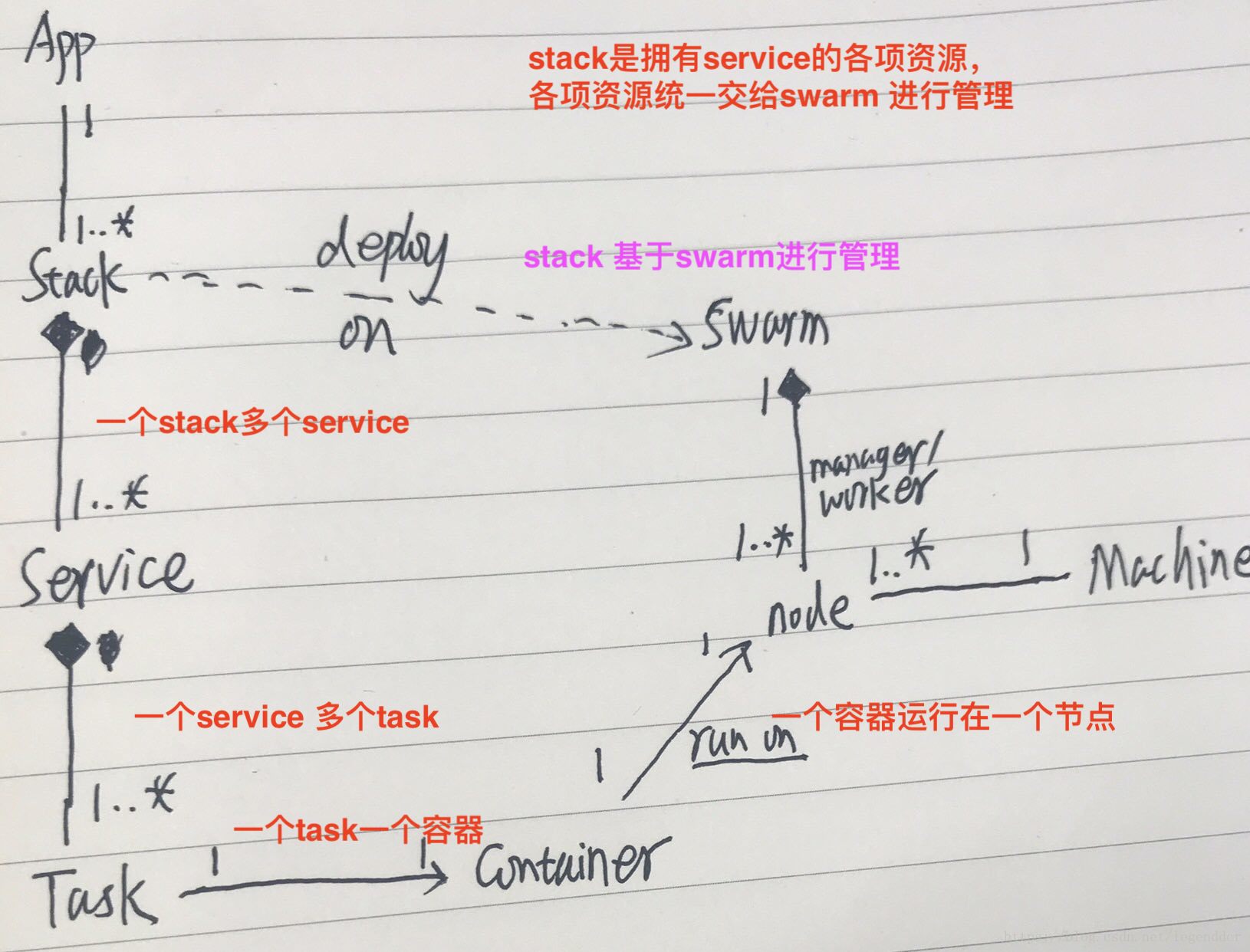
一个App通常由多个不同的功能部分组成,我们可以将这些部分分成相对独立的功能单元,这些功能单元可以实现成不同的docker services。
一个Stack是一组相互关联的services,这组service共享依赖,可被安排在一起运行和扩展。App根据复杂程度,可以使用a single stack或者multiple stacks.
App可以通过编排好的docker-compose.yml文件启动运行到swarm中:
1 | $ docker stack deploy -c docker-compose.yml <app-stack> |
2. Service
docker-compose.yml是一个YAML格式的文件,定义了生产环境(in production)中的Docker container行为,通过该文件对services定义、运行、扩容。
Services实际上是"containers in production". 一个service只能运行一个image,但是可以运行出同一个image的多个containers。A service is the definition of the tasks to execute on the manager or worker nodes. 用service模式运行一个container和独立运行container相比,可以在不手工重启container状况下,通过service更新container的网络、volume等配置.
1 | # 查看当前运行的service |
Service在Swarm中有两种运行模式:
--replicated services model: the swarm manager distributes a specific number of replica tasks among the nodes based upon the scale you set in the desired state.(每个节点一组全套服务)
--global services: the swarm runs one task for the service on every available node in the cluster.(一个节点,一个服务,共同组成一套服务)
3. Task && Container
A task is analogous to a “slot” where the scheduler places a container, 是swarm中的原子调度单元,对应运行在一个service中的单个container(理论上Task也可以对应到非container的执行单元如进程上,但是目前只对应container)。每个task在service中被分配了一个唯一的数字ID,从1一直到service设置的replicas数。每个Task中有一个对应的container。
1 | # 查看特定service下的所有task |
4. Swarm Cluster
Swarm: “Dockerized” cluster,一组运行Docker并被加入到一个Cluster中的机器。machine (物理的或虚拟的)加入swarm后才会变为该swarm的一个node.
A node is an instance of the Docker engine participating in the swarm. 在一台物理机或云端服务器上可以运行多个node.
1 | # enable swarm mode and make current machine a swarm manager |
利用Virtualbox虚拟机创建swarm,myvm1作为swarm manager,myvm2作为worker:
1 | # create virtual machine2 with Virtualbox (Not on Win 10) |
配置当前shell与swarm manager中的Docker daemon通讯:
1 | docker-machine env myvm1 |
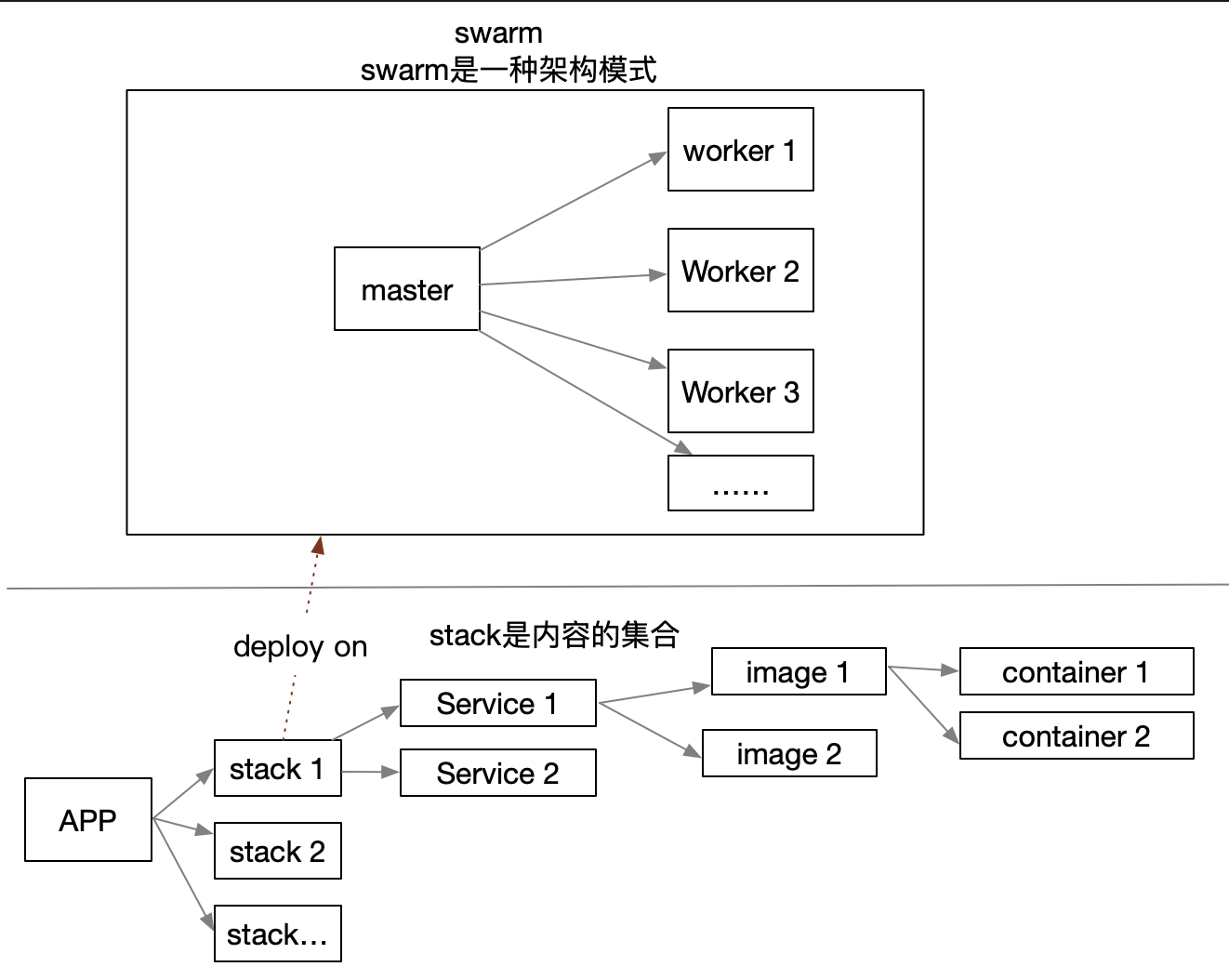
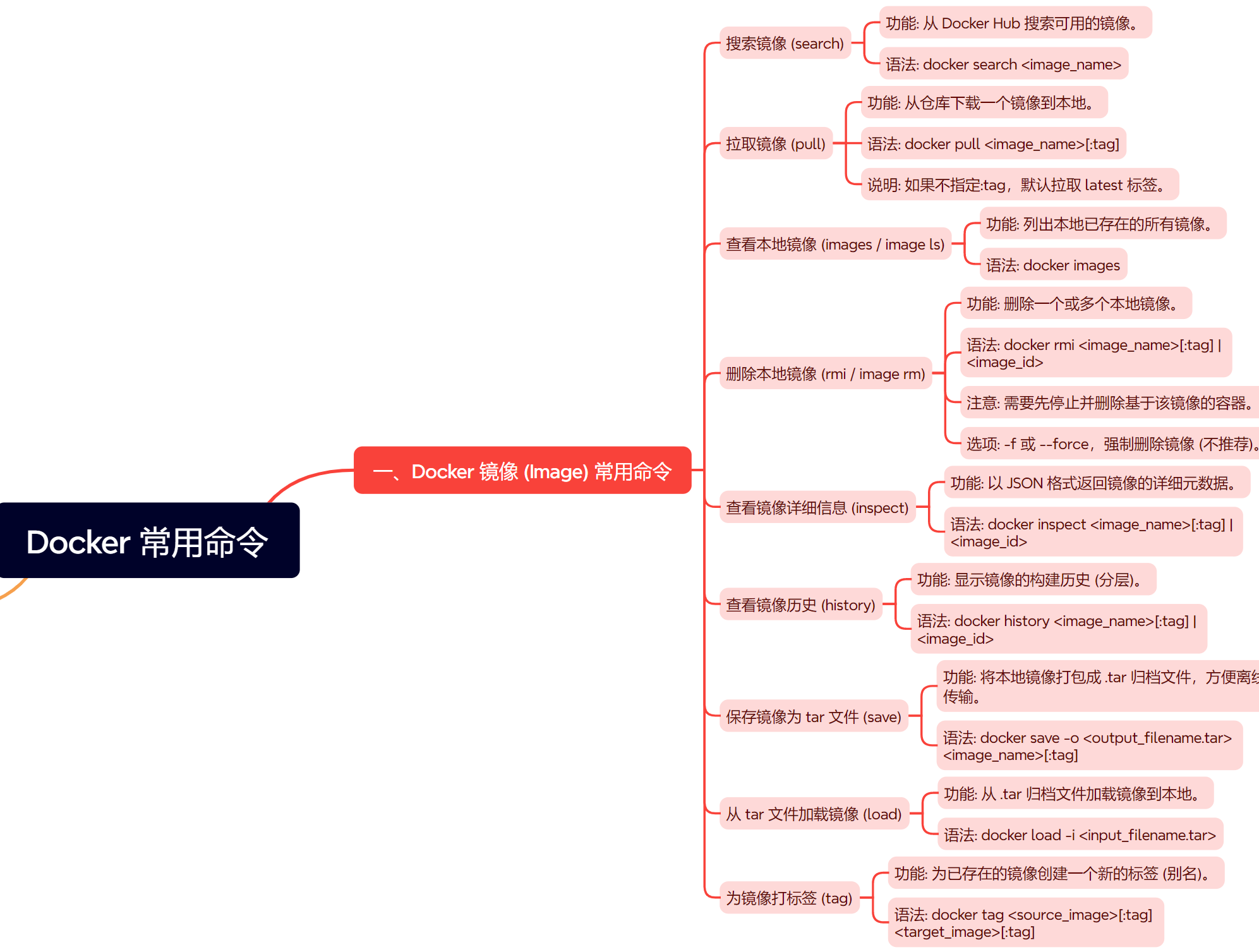
由此图可以知道,只要安装了docker, 初始化了swarm,即 $ docker swarm init,即可使用 $ doccker stack 命令

/8961d333fe2d47569ea9f57b134f1079.jpeg)
%E5%AD%A6%E4%B9%A0%EF%BC%9AK8S%E5%AE%9E%E6%88%98%E6%A1%88%E4%BE%8B_kubernetes%20%E6%A1%88%E4%BE%8B/fe31cbdc5c6427a41c8a02c4bd278421.png)
%E5%AD%A6%E4%B9%A0%EF%BC%9Apod%E6%A6%82%E5%BF%B5%E5%8F%8A%E7%9B%B8%E5%85%B3%E6%93%8D%E4%BD%9C_kubectl%20%E8%BF%9B%E5%85%A5pod/7b2c22f6722174f5022fe7a9e34dbebd.png)